Live: Kling 3.0 family (3.0 Turbo since June 2026).
Kling AI alternative: Kling 3.0 without the monthly plan
Kling 3.0 is one of the models we run — so the real choice is how you pay. Kling’s own plans are good value if you generate every week and want audio, lip-sync, 4K or clips up to 15 seconds. VideoCreate fits occasional use: no subscription, and the same credits also work on Seedance and Wan.
Kling AI and VideoCreate, side by side
Kling AI column: from the vendor’s own pages (numbers in brackets link to sources). VideoCreate column: what we run today.
- Kling access
- Kling AIKling web and mobile apps, plus an API.[1]
- VideoCreateKling 3.0 (standard, 720p) on the web, pay-as-you-go.
- Plans
- Kling AIStandard $6.99 first month then $8.80/mo (660 credits); Pro $25.99 then $32.56 (3,000); Premier $64.99 then $80.96 (8,000).[2]
- VideoCreateNo plan. Kling 3.0: 14 credits per 5-second clip (≈ $1.05 at Pro-pack rates).
- Audio
- Kling AINative audio in five languages, with lip-sync.[4]
- VideoCreateSilent clips — audio generation is off for now.
The same shot, written for each model
Kling reads one continuous scene best, with camera language up front — here is the same shot written for Kling 3.0 and for Seedance.
Written for Kling 3.0
Slow push-in from a wide shot of a ramen stall at the end of a rain-soaked alley, then a medium close-up of an older cook in a navy work jacket lifting noodles from a steaming pot, ending on an extreme macro close-up of chopsticks lifting glossy noodles in slow motion. Red lanterns, warm bulb light, cool blue shadows, wet night reflections. Cinematic 35mm film grain.
Camera move first, one continuous description, light and style at the end.
Generate with Kling 3.0Written for Seedance (tested on VideoCreate’s sample clip)
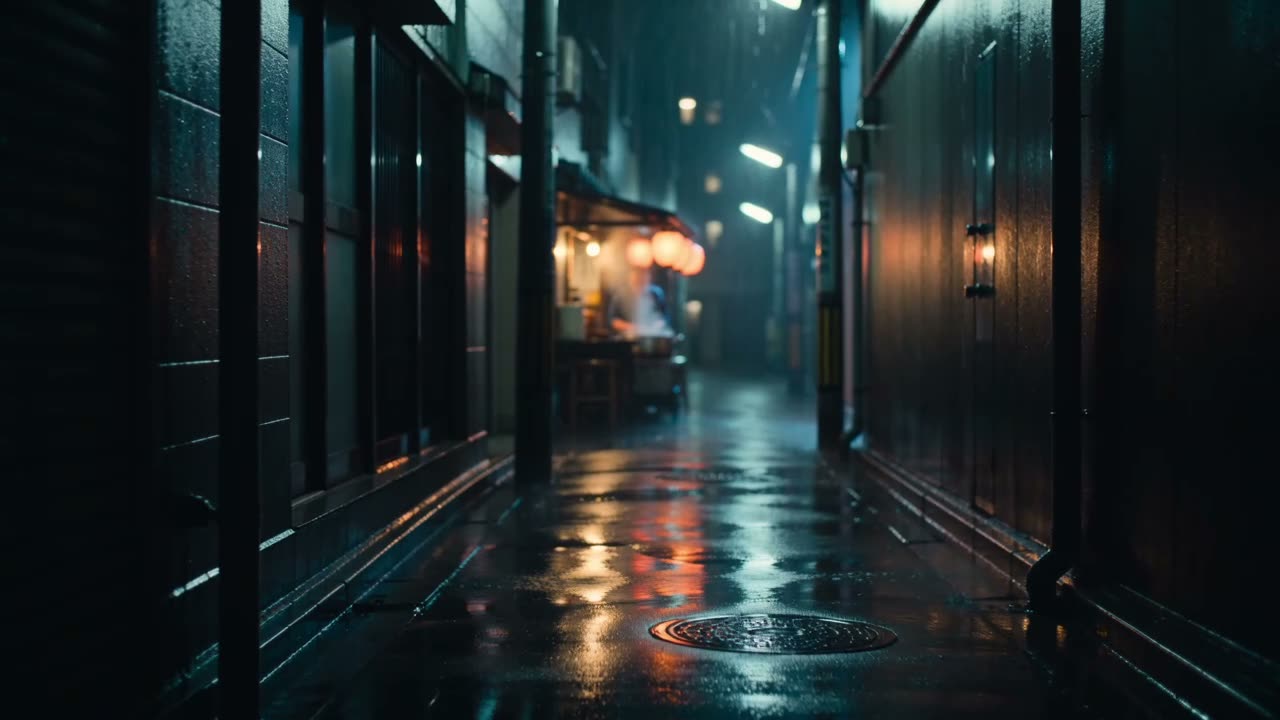
Shot 1 (0–4.5s): wide shot, slow push-in down a rain-soaked alley toward a small ramen stall, red paper lanterns, rain and wet reflections at night. Shot 2 (4.5–6.3s): medium close-up, gentle handheld: an older cook in a navy work jacket lifts noodles from a steaming pot, warm bulb light from the left, cool blue shadows. Shot 3 (6.3–10s): extreme close-up, macro, slow motion: chopsticks lift glossy noodles, broth dripping. Style: cinematic 35mm film look, subtle grain, warm and cool contrast.
Both run on VideoCreate. The Seedance version produced our homepage clip; the Kling version is the adaptation our Video→Prompt tool writes.
Generate with Seedance 1.5 ProWhen Kling AI is the better choice
- You generate clips every week: a Kling monthly plan may work out cheaper per clip than buying credits.
- You need Kling’s audio, lip-sync, 1080p/4K or clips longer than 5 seconds: those are only on Kling directly for now.
Questions
Can I use Kling 3.0 on VideoCreate?
Yes — Kling 3.0 at 720p, 14 credits per 5-second clip, no subscription.
Is Kling cheaper directly?
It depends on how often you generate. Kling’s Standard plan is $8.80/month after the first month; VideoCreate has no monthly fee, so it suits occasional use.
Do VideoCreate clips have audio?
Not yet — audio generation is off, so clips are silent.