Live: Veo 3.1, Fast and Lite in the Gemini API; the Gemini app now uses Gemini Omni.
Veo 3 alternative: pay per clip instead of a Google AI plan
Veo 3.1 is still one of the strongest options if you need native audio, 8-second clips or 4K — and Veo 3.1 Lite is cheap per second if you can use Google’s paid API. VideoCreate fits if you want a web app with no API setup and no monthly plan: buy credits once and switch between Seedance, Kling 3.0 and Wan 2.6.
Veo 3 and VideoCreate, side by side
Veo 3 column: from the vendor’s own pages (numbers in brackets link to sources). VideoCreate column: what we run today.
- Access
- Veo 3Gemini API (paid, preview model IDs) and Google AI plans in Flow. The Gemini app now generates with Gemini Omni.[1][2]
- VideoCreateWeb app, sign in with Google. No API key or subscription.
- Consumer plans
- Veo 3AI Plus $4.99/mo, AI Pro $19.99/mo, AI Ultra $99.99 or $199.99/mo.[4]
- VideoCreateNo plan — one-time credit packs.
- API price
- Veo 3Veo 3.1 $0.40/s; Fast $0.10/s (720p); Lite $0.05/s (720p). No free tier.[3]
- VideoCreateCredit packs from $4.99 (50 credits). A 5-second Seedance 1.5 Pro 720p clip is 4 credits (≈ $0.30 at Pro-pack rates).
- Resolution
- Veo 3720p, 1080p, 4K (Lite: no 4K).[1]
- VideoCreate480p (free), 720p, 1080p depending on model.
- People
- Veo 3In the EU, UK, Switzerland and MENA the API only allows generating adults.[1]
- VideoCreateOur content policy prohibits real-person likeness and minors everywhere.
The same shot, written for each model
The same scene written the way Google’s Veo guide recommends, and the Seedance prompt we tested.
Written for Veo 3.1 (following Google’s prompt guide)
A cinematic three-shot sequence on a rainy night. Subject: a small ramen stall at the end of a narrow alley, then an older cook lifting noodles, then chopsticks lifting glossy noodles. Action: the camera slowly pushes in, cuts to a handheld medium close-up, then an extreme macro in slow motion. Style: 35mm film, subtle grain, warm lanterns against cool blue shadows. Audio: steady rain on the awning, a bubbling pot, distant city hum.
Google’s guide: describe subject, action, style, camera and composition, and give audio its own cues.
Written for Seedance (tested on VideoCreate’s sample clip)
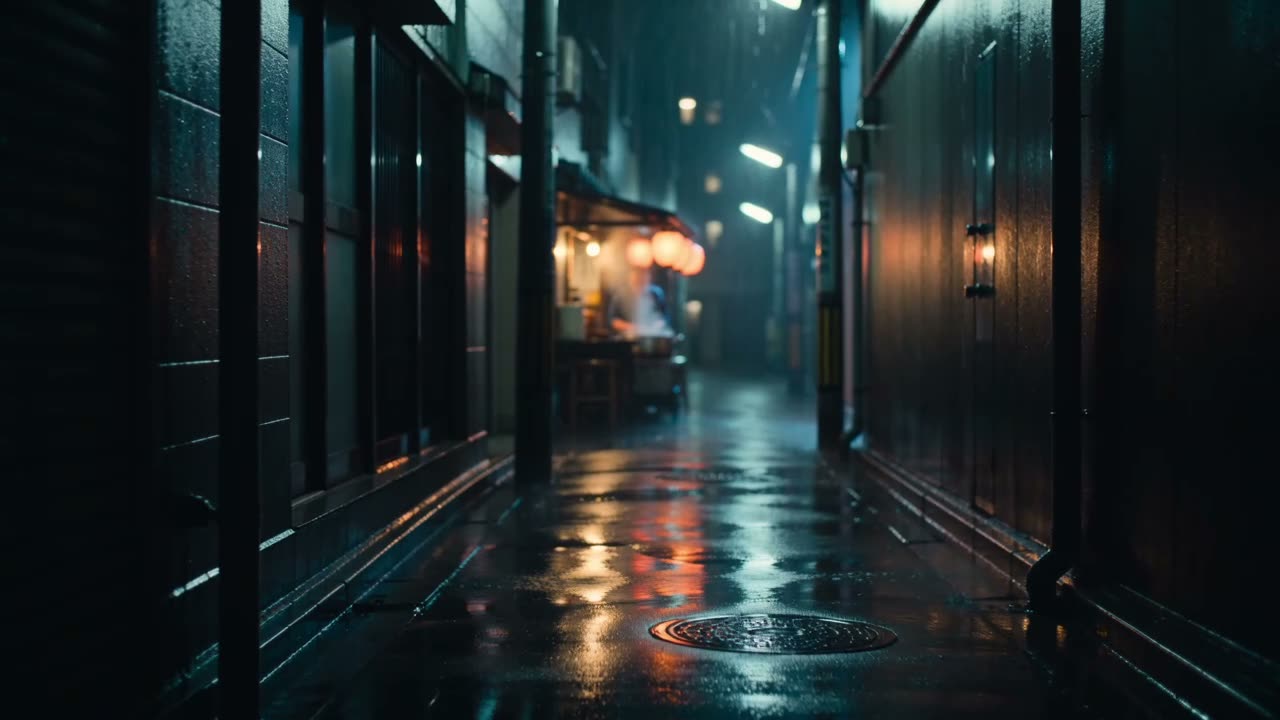
Shot 1 (0–4.5s): wide shot, slow push-in down a rain-soaked alley toward a small ramen stall, red paper lanterns, rain and wet reflections at night. Shot 2 (4.5–6.3s): medium close-up, gentle handheld: an older cook in a navy work jacket lifts noodles from a steaming pot, warm bulb light from the left, cool blue shadows. Shot 3 (6.3–10s): extreme close-up, macro, slow motion: chopsticks lift glossy noodles, broth dripping. Style: cinematic 35mm film look, subtle grain, warm and cool contrast.
We haven’t run the Veo version; it follows Google’s published guidance. The Seedance version produced the clip on our homepage.
Generate with Seedance 1.5 ProWhen Veo 3 is the better choice
- You need sound or dialogue in the clip: Veo generates audio natively; ours are silent for now.
- You need 8-second or 4K clips: Veo 3.1 supports both.
- You already pay for Google AI Pro or Ultra: your plan includes Flow credits.
- You’re building on an API: Veo 3.1 Lite at $0.05/s is cheaper per second than our Seedance 720p at Pro-pack rates.
Questions
Is Veo 3 still available?
Yes, as Veo 3.1 (plus Fast and Lite) in the Gemini API and Google’s Flow. The Gemini app itself now uses Gemini Omni for video.
Is there a free Veo tier?
Google’s API pricing lists no free tier for Veo. VideoCreate gives one free 480p clip a day on Seedance.
Can I use Veo on VideoCreate?
No. We run Seedance 1.5 Pro, Seedance 2.0 Fast, Kling 3.0 and Wan 2.6.